Phishing scams are among today’s most dangerous cyber threats, targeting individuals and businesses with deceptive messages to steal sensitive information. In this guide, you’ll learn how to protect yourself from phishing scams, recognise warning signs, and use modern tools to stay safe online.
What is Phishing?
Phishing is a cyberattack where attackers impersonate trusted entities to trick individuals into revealing sensitive information, such as login credentials, financial data, or personal details.
Phishing methods include:
- Fake emails pretending to be from banks or tech companies
- Text messages with malicious links
- Phone calls impersonating government or support agents
Understanding how to protect yourself from phishing scams starts with awareness and education.
 Why You Should Be Concerned About Phishing in 2025
 Why You Should Be Concerned About Phishing in 2025
Phishing attacks are more sophisticated than ever. AI-generated content, deepfake voice technology, and spoofed domains make fake messages look incredibly authentic. In 2025, phishing scams will not only be a personal threat but a significant business liability.
Cybercrime reports show:
- 80% of data breaches involve phishing.
- Small businesses are disproportionately targeted.
- AI is now being used to craft personalised, convincing phishing attempts.
Protecting yourself from phishing scams is essential for safeguarding your digital identity and business integrity.
How to Protect Yourself from Phishing Scams
Be Sceptical of Unsolicited Requests
Phishers prey on fear and urgency. Here’s how to outsmart them:
- Verify independently: Don’t trust contact information in an email or text. Visit the official website or call the verified number.
- Avoid clicking unknown links or attachments: Hover over links to preview the URL before clicking.
- Look out for too-good-to-be-true messages: Lottery wins, urgent account suspensions, or “free” giveaways are often red flags.
Protect Your Personal Information
Your data is valuable. Treat it that way:
- Never share sensitive information via email or text. No legitimate company will ask for passwords, Social Security numbers, or credit card information this way.
- Be cautious on social media: Limit the personal information you share publicly.
- Use strong, unique passwords, and avoid reusing them across accounts.
Use Technology to Your Advantage
Let innovative tools do the heavy lifting:
- Install antivirus and anti-phishing software: Ensure it auto-updates regularly.
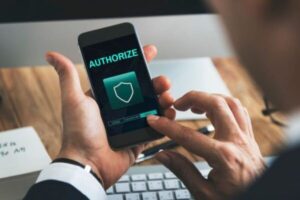
- Enable multi-factor authentication (MFA): Adds a layer of security beyond just passwords.
- Use spam filters and email security: Filter out obvious phishing emails before they reach your inbox.
- Keep software and systems updated: Patch known vulnerabilities with the latest security updates.
Recognise Common Signs of Phishing
Phishing messages often contain subtle red flags:
- Grammar mistakes or typos: Common in hastily created scams.
- Urgent tone or threats: “Act now or lose access!” is a common phishing tactic.
- Odd sender addresses: Legit companies use consistent domains, not variations like “@micros0ft.com”.
- Link masking: Hover over hyperlinks to reveal the actual destination.
Report Suspicious Activity
If you suspect a phishing attempt:
- Report to your email provider: Use built-in tools to mark emails as phishing.
- Forward suspicious emails to [email protected]
- Report mobile scams by texting “SPAM” to 7726
- Report to the FTC: ReportFraud.ftc.gov
Case Study: How a Small Business Avoided a Phishing Disaster
In 2024, a mid-sized eCommerce business received an email that appeared to be from a logistics partner, requesting login credentials to “confirm shipment data.” The email was sophisticated, with accurate branding and a valid-looking domain.
However, thanks to:
- Employee training on how to protect themselves from phishing scams
- Spam filtering and email security protocols
- A mandatory multi-factor authentication system
…the attack was stopped before any data was compromised. The email was flagged, reported, and blocked. This case shows that even well-disguised phishing scams can be neutralised with awareness and the proper digital infrastructure.
Solving Business Pain Points with AI-Powered Tools
Phishing is not just an individual risk—it’s a business threat. Businesses face challenges such as:
- High email volume increases the risk of employee error
- Remote work environments, where phishing attempts often go unchecked
- Lack of centralised monitoring for communications
AI-powered security and communication tools help by:
- Automatically detecting and quarantining suspicious emails
- Training employees through AI-driven phishing simulations
- Providing real-time behavioural analytics that spot anomalies in logins and access patterns
- Enforcing strict access controls, like IP filtering and adaptive MFA
These AI-based solutions help prevent phishing scams before damage is done and create a more secure business ecosystem.
Conclusion
Phishing scams are evolving, but so can you. Understanding how to protect yourself from phishing scams is your first line of defence. Whether you’re an individual or a business, taking proactive steps—from sceptical thinking to AI security tools—can drastically reduce your vulnerability.
In today’s cyber climate, caution isn’t paranoia—it’s smart.
Frequently Asked Questions (FAQs)
What is the best way to identify a phishing scam?
Look for grammatical errors, suspicious email addresses, urgent language, and masked links. Always verify requests through official channels.
Can antivirus software stop phishing?
Antivirus software with anti-phishing features can block malicious links and attachments, but user awareness remains critical.
What should I do if I clicked on a phishing link?
Disconnect from the internet, run a full antivirus scan, change your passwords, and monitor your accounts for suspicious activity.
How can businesses train employees to avoid phishing?
Use simulated phishing tests and awareness training, and enforce strict cybersecurity policies like MFA and email verification.
Is reporting phishing scams necessary?
Yes, reporting helps improve detection systems, alerts others, and can help authorities trace scam operations.